Setel review: paying for fuel without leaving your car
Tuesday, 29 September 2026
· by Admin
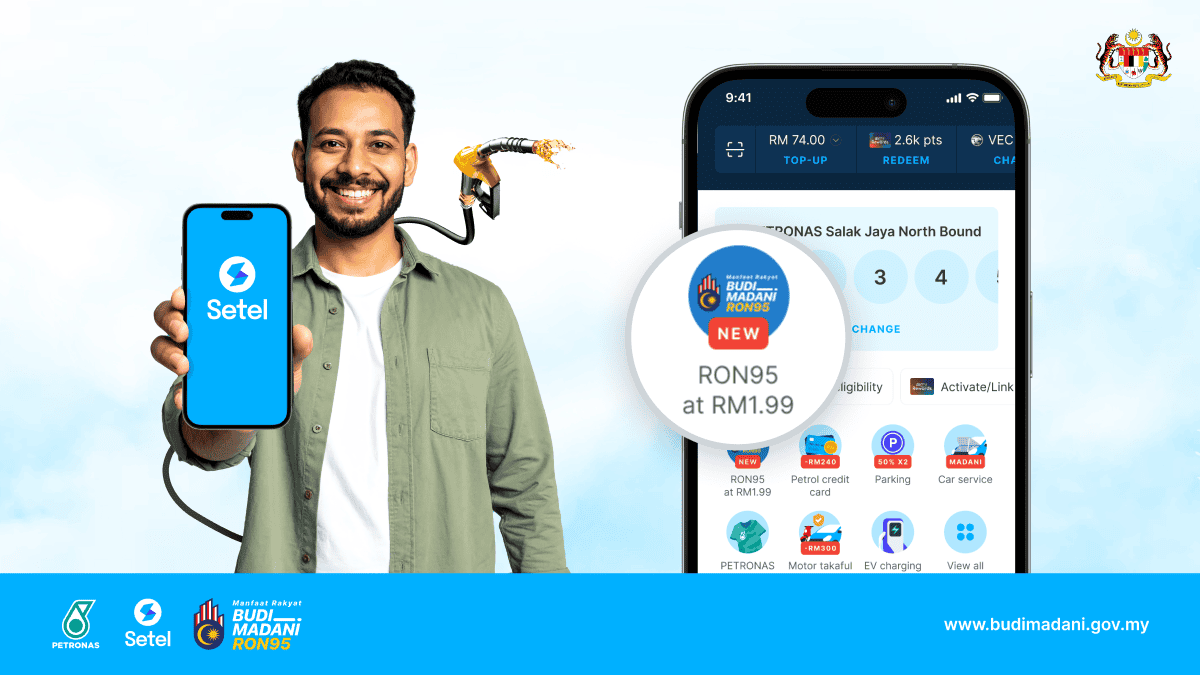
Setel is a Malaysian mobility app developed under PETRONAS Dagangan Berhad. It started with one simple idea: let drivers pay for fuel from their phone without walking to the counter. Since its launch in 2019 it has grown into a wider motoring app that covers fuel, convenience store purchases, parking at supported locations and loyalty rewards. We used Setel as our main fuel payment method for a month, across city and highway stations, to see how it holds up in real daily use.
Overview
- Developer: Setel Ventures, part of PETRONAS Dagangan Berhad
- Category: Mobility, fuel payment, e-wallet
- Platforms: Android and iOS
- Where it works: PETRONAS stations nationwide, plus supported parking locations
- Price: Free to download and use
Key features
- Pay at the pump: choose your station and pump number, set an amount or fill up to full tank, and start fuelling. Payment is handled in the app, so there is no need to queue at the counter.
- Setel wallet and cards: top up the in-app wallet or pay directly using a linked debit or credit card. Auto top-up can keep your balance ready.
- Mesra rewards built in: link your Mesra card and points are collected automatically every time you pay, with no need to remember your physical card.
- Kedai Mesra purchases: pay for drinks, snacks and other items at participating station stores through the app.
- Parking: pay for parking at supported locations and councils from the same app, with reminders before your session ends.
- E-receipts and history: every transaction is saved with date, station, litres and amount, which is very useful for mileage claims and business expenses.
The tech behind it
Setel uses your phone location to detect nearby stations and show the right pumps. Once you confirm, the app sends an authorisation to the pump system, and the pump unlocks for the amount you selected. If you fuel less than the amount you set, the difference goes back to you automatically. Payments are protected with a PIN or your phone biometrics (fingerprint or face unlock), and card details are stored in tokenised form rather than on the pump. Because everything happens between your phone and the station system, there is less cash handling and less physical contact at the counter.
How to use it
- Download Setel and sign up with your mobile number.
- Top up your wallet or link a debit or credit card, then link your Mesra card for points.
- At the station, open the app, select your pump and choose an amount or full tank.
- Fuel up as usual. The receipt appears in the app within seconds.
- For parking, open the parking section, pick your location and set your duration.
Benefits
- Saves time: no queue at the counter, which really adds up on busy evenings and during festive season travel.
- Safer at night: you can stay near your car instead of walking into the store.
- Better record keeping: digital receipts make expense claims and fuel tracking much easier.
- Rewards without effort: Mesra points are collected automatically on every payment.
- Fewer apps: fuel, parking and store purchases in one place.
Who is it for?
Setel is ideal for daily commuters, e-hailing and delivery riders, sales staff who claim mileage, and parents who would rather not leave kids in the car while paying. If you regularly fuel at PETRONAS, it is an easy app to keep.
What we liked
- The pay-at-pump flow is fast once you get used to it, usually under a minute.
- Automatic refunds of unused amounts worked reliably in our tests.
- Clean, simple interface with clear steps.
- Automatic Mesra points and digital receipts are genuinely useful.
- Regular promotions and rewards make it worth using consistently.
What could be better
- It only works at PETRONAS stations, so drivers who use other brands will still need another method.
- Weak mobile data at some stations can slow down the authorisation step.
- Parking coverage depends on location, so it is not a full replacement for other parking apps yet.
- First-time users may need a few tries to get comfortable with pump selection.
Tips for new users
- Turn on location access so the app detects your station and pump faster.
- Enable biometric login to skip typing your PIN at the pump.
- Link your Mesra card on day one so you do not miss any points.
- Check the rewards section regularly for fuel and store promotions.
Verdict: 4.5/5. Setel turns a routine fuel stop into a quick, cashless and safer experience. It is limited to PETRONAS stations, but for anyone who fuels there regularly, it is one of the most practical apps a Malaysian driver can have.
Similar apps you can try
- Shell app: the official app for Shell stations, with Shell rewards, promotions and station finder. A good pick if Shell is your usual station.
- Touch 'n Go eWallet: widely accepted at petrol station counters and stores through QR payment, plus RFID for tolls. Great as an all-in-one wallet for drivers.
- JomParking: a Malaysian parking app used by many local councils to pay for street parking from your phone.
- Flexi Parking: another popular parking app that lets you pay and extend street parking in supported areas.